Granola made bot-free notes mainstream: you jot rough notes during a call, and after it ends Granola's AI (powered by GPT-4o and Claude) expands them into a clean summary with action items — no bot ever joins the meeting. It's genuinely one of the slickest notetakers around.
But it has trade-offs people only notice later. It's a monthly subscription, your transcripts are processed in Granola's cloud, and — this catches everyone off guard — it never gives you the audio. There's no playback and no export, so you can't re-listen to check a misheard number or quote. If any of that matters to you, here are the best Granola alternatives in 2026.
TL;DR
- Most private + you own the files: mono — on-device AI, keeps the audio and transcript, $50 once
- Best free / open-source: Meetily — 100% local, self-hosted
- Closest to Granola's style: Jamie — bot-free, 100+ languages (still cloud + subscription)
- Cloud tools with integrations: Otter.ai, Fireflies, Fathom — powerful, but bot-based and cloud-stored
Why look for a Granola alternative?
Granola is good at what it does. People usually start looking for an alternative for one of these reasons:
- Your audio is processed in the cloud. Granola captures audio on your device but sends the transcript to its servers for AI processing. For confidential calls — legal, medical, HR, M&A — that alone can rule it out.
- You never get the audio file. Granola keeps only text. There's no audio playback or export, so you can't verify a mistranscribed figure or revisit the exact tone of a discussion.
- It's a subscription. $18/month for the Individual plan ($14/user for Business) is $200+ a year, every year.
- No Android. Granola runs on macOS, Windows and iOS only.
- Speaker labels get shaky. Attribution becomes unreliable once three or more people are talking.
- The training opt-out is buried. Training on your data is off by default only on the Enterprise plan; everyone else has to turn it off manually.
The Alternatives at a Glance
| Tool | Price | Bot? | Processing | Audio you keep |
|---|---|---|---|---|
| mono | $50 once | No | On-device | Local file |
| Granola | From $18/mo | No | Cloud | None |
| Meetily | Free / $10/mo | No | On-device | None |
| Jamie | From €25/mo | No | Cloud | None |
| Krisp | From $8/mo | No | Hybrid | None |
| Otter.ai | From $16.99/mo | Yes | Cloud | Cloud only |
| Fireflies.ai | From $10/mo | Yes | Cloud | Cloud only |
| Fathom | From $19/mo | Yes | Cloud | Cloud only |
A quick note on "Audio you keep": Local file means an audio file saved on your own disk; Cloud only means you can play or download it while you're paying; None means the tool keeps only text and you never get the recording.
mono — Best for Privacy and Ownership (Recommended)
mono is the closest thing to "Granola, but local and yours." It's bot-free and captures your computer's audio like Granola, but the AI — transcription, summaries, semantic search, chat — runs entirely on your machine. Nothing is uploaded.
The bigger difference is ownership. Every recording is saved as a plain audio file plus a markdown transcript on your own disk. You can replay the call, re-check a quote, export it, or drop the markdown straight into Obsidian. Granola gives you none of that — it keeps only text.
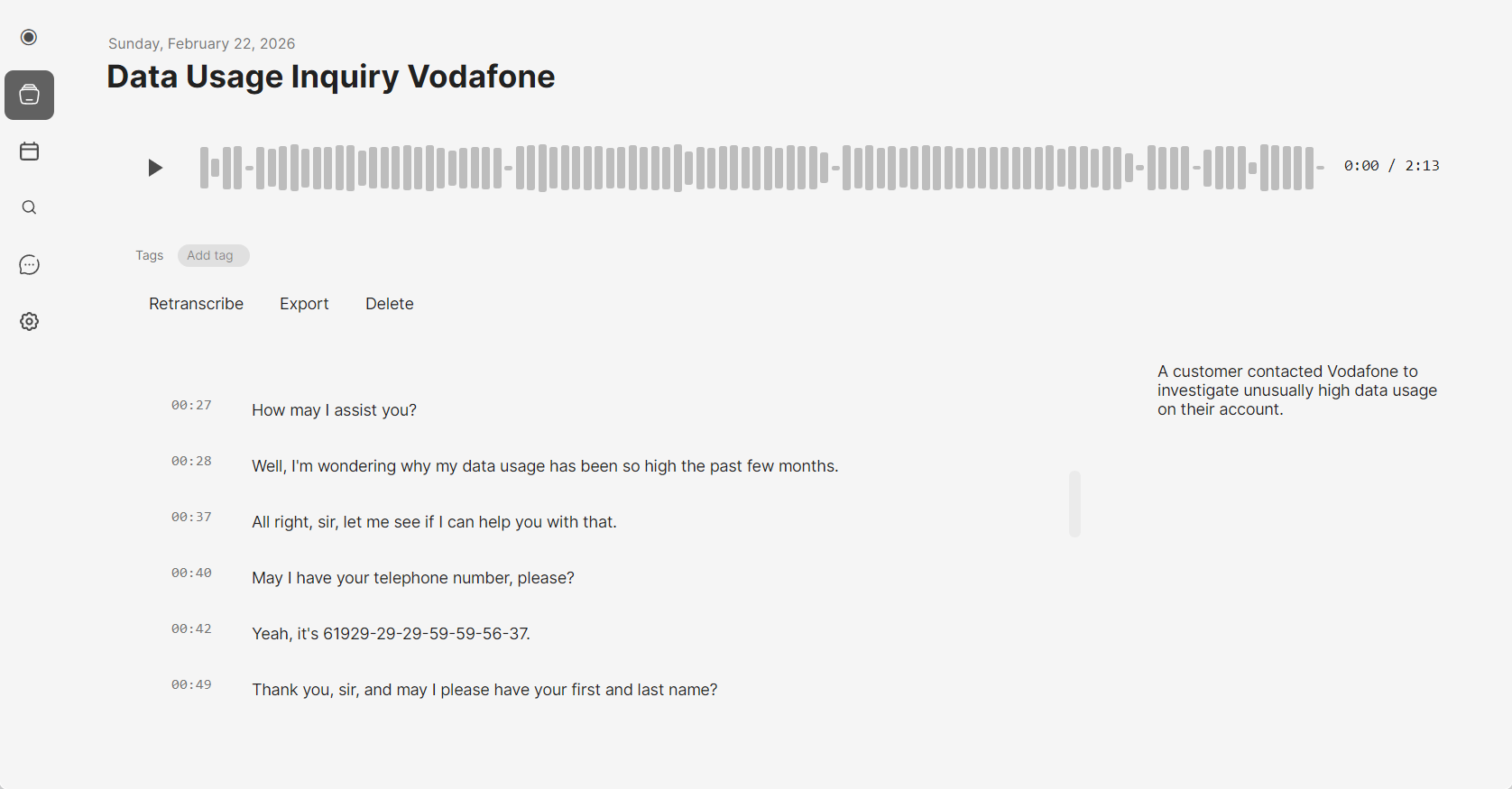
It's also a one-time purchase: $50 once, no subscription, with a single recording to try before you buy. And it works with any app that plays audio — Zoom, Teams, Google Meet, Slack huddles, Discord, even phone calls on desktop.
Pros: Fully on-device AI (audio never leaves your computer), keeps the audio file and markdown transcript, one-time $50, works with any app, semantic search and AI chat across all recordings, live notes during the call, Google Calendar integration, no bot.
Cons: Windows and macOS only (no mobile), needs a reasonably modern computer for local processing, no built-in team cloud.
Meetily — Best Free / Open-Source Local Option
Meetily is an open-source (MIT) notetaker that, like mono, runs entirely on your device — Whisper/Parakeet transcription and Ollama summaries, no cloud. It's bot-free and works with any platform, and stores your notes and transcript locally.
The Community Edition is free and self-hosted, which is ideal if you're technical and want full control. The trade-off is setup and upkeep: you run and update it yourself, and the polish is rougher than a commercial app. A Pro tier (from $10/user/mo) adds some conveniences.
Pros: Free and open source, 100% local processing, speaker diarization, works with any meeting app, macOS and Windows.
Cons: Requires technical setup and self-hosting; captures only text, with no audio file to keep; needs more processing power than mono because it transcribes continuously during the meeting; no Google Calendar integration or live notes (mono has both).
Jamie — Closest to Granola, with More Languages
Jamie is bot-free and can record even offline, then produces structured summaries tailored to the meeting type. It supports 100+ languages, learns speaker voices, and is hosted in the EU with a GDPR-minded stance (audio is deleted after transcription).
It is, however, still cloud-processed and subscription-based, and like Granola it doesn't hand you an audio file. The entry plan caps you at 10 meetings/month with a 30-minute limit; paid plans run from €25/month.
Pros: Bot-free, 100+ languages, EU hosting and GDPR-minded, editable transcripts, Mac and Windows.
Cons: Cloud-processed, subscription (from €25/mo), no audio export, limited entry tier.
Krisp — Best if You Also Want Noise Cancellation
Krisp started as best-in-class noise cancellation and grew into a bot-free notetaker. Its noise cancellation and English transcription run on-device, but other languages — and the AI summaries — are processed in Krisp's secured cloud. The noise removal genuinely improves transcript accuracy in loud rooms.
It keeps the notes and transcript but not an audio recording, and its richer features (accent conversion, CRM integrations, HIPAA on Enterprise) sit behind paid tiers. It runs on Windows, Mac and Linux.
Pros: On-device transcription, excellent noise cancellation, low entry price, Windows/Mac/Linux, HIPAA option on Enterprise.
Cons: No audio recording to keep, best features are paid, notetaking is secondary to its noise-cancellation roots.
The Cloud Notetakers: Otter, Fireflies, Fathom
If on-device processing isn't a requirement and you want big integration suites or team features, the established cloud tools are worth a look. The catch: most join your call as a visible bot, and your audio lives on their servers.
- Otter.ai — mature, strong speaker identification, real-time transcription, iOS and Android apps. Joins as a bot; from $16.99/mo.
- Fireflies.ai — the cheapest serious option (from $10/mo), with deep CRM and Zapier integrations. Bot-based, cloud storage.
- Fathom — unlimited recording and summaries on its entry tier, Zoom-focused. Bot-based; paid plans from $19/mo.
Which Granola Alternative Should You Pick?
- You want privacy and to own your files: mono (one-time, on-device, keeps audio + transcript) or Meetily (free, open-source, local).
- You want free and open-source: Meetily.
- You record in many languages and like Granola's style: Jamie.
- You take a lot of calls in noisy places: Krisp.
- You need CRM/team integrations and don't mind the cloud: Fireflies or Otter.ai.
- You just want a quick cloud notetaker for Zoom: Fathom.
FAQ
Does Granola save your audio?
No. Granola keeps only the text — notes, transcript and summary. There's no audio playback or export, so you can't re-listen to a call. mono saves the audio file locally, so you keep it.
Is Granola private?
It's bot-free and captures audio on your device, but it sends transcripts to its cloud for AI processing, and model training is only off by default on the Enterprise plan. For fully private notes, choose an on-device tool like mono or Meetily.
What's the best free Granola alternative?
Meetily — it's open source, 100% local, and the only genuinely free option here if you're comfortable self-hosting. Commercial tools like Fathom and Otter have limited entry tiers, but they're cloud apps with a bot, not free software.
What's the best Granola alternative that keeps your recordings?
mono saves the audio and transcript as files on your own disk. Granola, Meetily, Jamie and Krisp keep only the text and never give you the audio.
Does Granola work on Android?
No — macOS, Windows and iOS only.